Pam Van Londen,

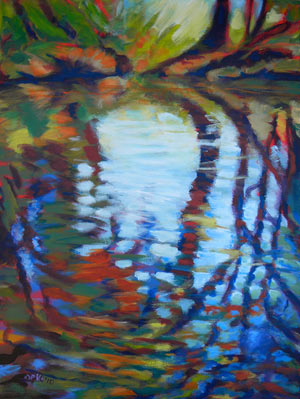
Independence Park

July 3, 2009 Abstract and Non-objective, Daily Painting, Landscapes | Comments (0) | by Pam Van Londen

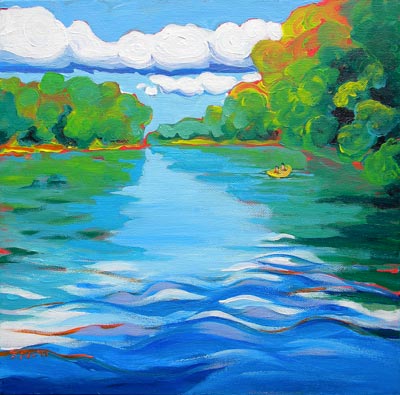
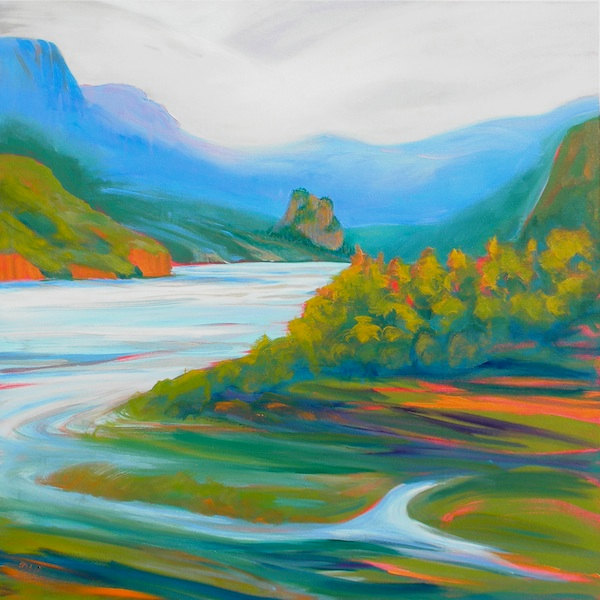
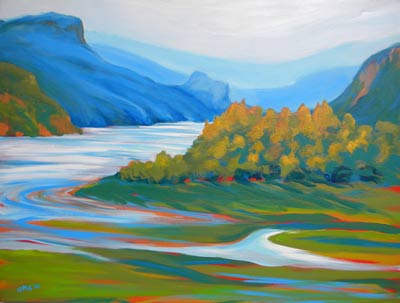
© Pam Van Londen 2009, Independence Park, 8x8x1 on oil on claybord

Purchase this painting via PayPal's secure payment system
$64 © Pam Van Londen 2009, Independence Park, 8×8x1 on oil on claybord

This abstracted image of the riverfront park in Independence, Oregon exaggerates the curvy designs of the amphitheater carved out of the hillside.

We’ll be in the area again this holiday for the annual parade; a family tradition.

Looking up

July 1, 2009 Art, Daily Painting, Landscapes, Still Life | Comments (0) | by Pam Van Londen

© Pam Van Londen 2009, Under the Vines, 8x8x1 on oil on claybord

Purchase this painting via PayPal's secure payment system
$64 © Pam Van Londen 2009, Under the Vines, 8×8x1 on oil on claybord

My head is in the clouds since the sun came out. I’m always looking up to contemplate how to paint clouds at sunset or noon.

Or I’m looking down to see what beautiful colors lie near the sidewalk. I must stop every few feet to take a picture; it’s a very slow walk.

I enjoy how the sky of puffy clouds peeks through this trellis with vines of purple clematis, found somewhere in the College neighborhood.

July Exhibits

June 30, 2009 Abstract and Non-objective, Daily Painting, Exhibits | Comments (0) | by Pam Van Londen

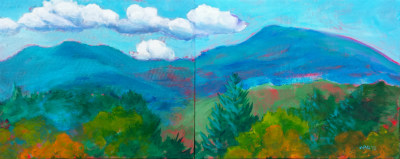
Vines 1 Polyptych © Pam Van Londen 2009.

Vines 1 Polyptych © Pam Van Londen 2009.

For the month of July, 2009, my work (new and old) will be on exhibit at the following locations. I hope you can swing by to take a peek.

I also have one piece in the OSU Community Open, in the Guistina Gallery in LaSells Stewart Center on the OSU Campus.

Johnson Creek abstract

June 27, 2009 Abstract and Non-objective, Daily Painting, Landscapes | Comments (0) | by Pam Van Londen

© Pam Van Londen 2009, Johnson Creek 3, 8x8x1 on oil on claybord

Purchase this painting via PayPal's secure payment system
$64 © Pam Van Londen 2009, Johnson Creek 3, 8×8x1 on oil on claybord

When we visit family in Portland we often end up down the block in Johnson Creek Park. The severe weather washed a lot of trees into the water last winter, so it looked like a different place last time we were there.

I love water, as I’ve mentioned before. The colors and patterns provide endless entertainment for me. Painting them is a challenge which I practice often.

Otter Rock Marine Garden Path

June 23, 2009 Daily Painting, Landscapes | Comments (0) | by Pam Van Londen

© Pam Van Londen 2009, Otter Rock Marine Garden Path, 8x8x1 on oil on claybord

Purchase this painting via PayPal's secure payment system
$64 © Pam Van Londen 2009, Otter Rock Marine Garden Path, 8×8x1 on oil on claybord

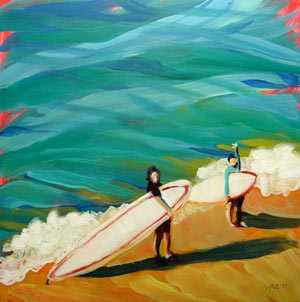
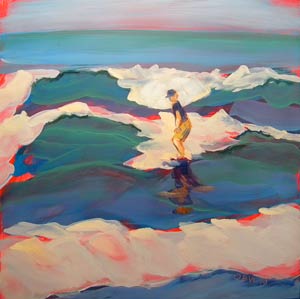
Last summer we spent some time painting and surfing at Otter Rock on the Oregon Coast.

The girls almost drowned, but had enough energy to check out the low tide pools on the Marine Garden side of the rock.

The beach there is our favorite. I’ve painted this area many times. Take a look at some other works of Otter Rock.

Alsea Bay at Waldport

June 21, 2009 Daily Painting, Landscapes | Comments (0) | by Pam Van Londen

© Pam Van Londen 2009, Alsea Bay Bridge, 8x8x1 on oil on claybord

Purchase this painting via PayPal's secure payment system
$64 © Pam Van Londen 2009, Alsea Bay Bridge, 8×8x1 on oil on claybord

We had a lovely time crabbing, combing, eating, reading, sleeping, and painting at Alsea Bay in Waldport this weekend.

We shared good times with friends and had perfect weather (a necessary ingredient!).

Van Buren Street was blooming

June 19, 2009 Daily Painting, Landscapes | Comments (0) | by Pam Van Londen

© Pam Van Londen 2009, Van Buren Street, 8x8x1 on oil on claybord

Purchase this painting via PayPal's secure payment system
$64 © Pam Van Londen 2009, Van Buren Street, 8×8x1 on oil on claybord

Love this street when it is blooming (and there is no traffic).

The lawns are crisp, the colors bright, and the flowers show you their perky faces.

Roses are Red

June 18, 2009 Daily Painting, Still Life | Comments (0) | by Pam Van Londen

© Pam Van Londen 2009, Roses Climbing Brick, 8x8x1 on oil on claybord

Purchase this painting via PayPal's secure payment system
$64 © Pam Van Londen 2009, Roses Climbing Brick, 8×8x1 on oil on claybord

It is time for roses to show their pretty faces. We visited the Portland Rose Garden last weekend and WOW! everything was blooming and the place was crowded with families enjoying the scents, sights, and water fountains. I took numerous pictures!

This is what looks like an American Beauty climbing a brick wall.

On location in Independence, Oregon

June 17, 2009 Daily Painting, Landscapes | Comments (0) | by Pam Van Londen

© Pam Van Londen 2009, Independence Cafe, 8x8x1 on oil on claybord

Purchase this painting via PayPal's secure payment system
$64 © Pam Van Londen 2009, Independence Cafe, 8×8x1 on oil on claybord

I tagged along with the Vistas and Vineyards plein air painting group today. The destination was the river front park in Independence, Oregon, which sits between the Willamette River and an old downtown.

I opted to keep the image simple by painting straight on rather than with perspective.

Devil’s Punchbowl at Otter Rock, Oregon Coast

June 15, 2009 Art | Comments (0) | by Pam Van Londen

© Pam Van Londen 2009, Devil’s Punch Bowl 2 at Otter Rock, 8x8x1 on oil on claybord1

Purchase this painting via PayPal's secure payment system
$64 © Pam Van Londen 2009, Devil’s Punch Bowl 2 at Otter Rock, 8×8x1 on oil on claybord1

My favorite beach is again the subject of a painting…Otter Rock. This image is from the inside of Devil’s Punchbowl. You can see straight through the arch at low tide to the formation outside the bowl.

The rocks have orange lichen and catches of sunlight. The water is greener the closer it is to you.

Tulips and Daffodils

June 12, 2009 Daily Painting, Still Life | Comments (0) | by Pam Van Londen

© Pam Van Londen 2009 Tulips and Daffodils1 8x8 on oil on claybordPurchase this painting via PayPal's secure payment system $64 © Pam Van Londen 2009 Tulips and Daffodils 1. 8×8 on oil on claybord.

A friend received a vase of flowers for Mother’s Day and they were so quaint. I had to paint the unusual mauve tulips and bright daffodils.

Summer Sale in progress

June 7, 2009 ** A Sale! **, Exhibits | Comments (0) | by Pam Van Londen

© Pam Van Londen 2007 Winter Overlook 2 acrylic on canvasboard on 8 x 8 x .5 canvas SOLD © Pam Van Londen 2007 Winter Overlook 2 acrylic on 8×8 canvasboard. This is my favorite painting!

I’m spring cleaning and would like you to take away some of my fabulous paintings for just a bit of cash (checks and credit cards accepted as well).

Take a look at what has just gone on sale and will remain on sale! View both pages and click on each title to read about it and view even more related paintings.

It is a good time to:

  • Purchase birthday, graduation, and father’s day gifts.
  • Add color to your drab walls in the kitchen, living room, bathroom, bedroom, and office.
  • Purchase ahead for holiday gifts.
  • Treat yourself!

All paintings are original acrylic, oil, or mixed media. Acid free archival materials are used in each piece. Some 8×8 paintings come framed.

Pick up at my home or have it shipped.

Summer Vegetables ~ Food on the Table

June 7, 2009 Art | Comments (0) | by Pam Van Londen

© Pam Van Londen 2009 Summer Vegetables 12x12x2 on acrylicPurchase this painting via PayPal's secure payment system $130 © Pam Van Londen 2009 Summer Vegetables 12×12x2 on acrylic

Though there are clouds in the sky, we can still picnic! These corn, onions, and tomatoes, if real, could be used to make a lovely salad.

Hang the image on your wall instead, to remind you to have picnics, where memories are made. If picnics are not your thing, at least remember to eat fresh food (eat your veggies!).

See more Food on the Table paintings.

It’s National Drawing Day

June 6, 2009 Daily Painting | Comments (0) | by Pam Van Londen

Peace On Earth. © Pam Van Londen 2009. Drawn at Pencake.com

Peace On Earth. © Pam Van Londen 2009. Drawn at Pencake.com

Watch an animated drawing come to life. I did this one at Pencake.com, which ties into my Facebook account.

Drawing Day 2009

Radishes ~ food on the table

June 5, 2009 Daily Painting, Still Life | Comments (0) | by Pam Van Londen

© Pam Van Londen 2009 Radishes 12x12x1 on acrylic Purchase this painting via PayPal's secure payment system $100 © Pam Van Londen 2009 Radishes. Acrylic on 12×12x1 gallery-edged canvas.

I sold three Food on the Table pieces last month and have many more planned for the summer. ‘Radishes’ is the start of summer fruits and veggies to work on. I’ll be doing:

  • Watermelon and other melons
  • Sushi
  • Cherries and grapes
  • Corn, tomatoes, and onions
  • Anything you request!

Summer Exhibits

June 5, 2009 Art, Exhibits | Comments (0) | by Pam Van Londen

Exhibiting Summer 2009 at Red Horse Cafe

Exhibiting Summer 2009 at Red Horse Cafe

Exhibiting Summer 2009 at Darrell's Restaurant

Exhibiting Summer 2009 at Darrell

From now until June 30, I have oil and acrylic paintings showing at Red Horse Cafe and Darrell’s Restaurant in Corvallis.

In July, I’ll be showing at Sam’s Station and Benton Hospice.

Enjoy a light meal and art during your next outing.

Odell Lake is my new favorite plein air spot

June 2, 2009 Abstract and Non-objective, Daily Painting, Landscapes | Comments (0) | by Pam Van Londen

© Pam Van Londen 2009, Odell Lake Edge 1, 8x8x1 on oil on claybord1

Purchase this painting via PayPal's secure payment system
$64 © Pam Van Londen 2009, Odell Lake Edge 1, 8×8x1 on oil on claybord1

After the State Middle School Track meet where my daughter placed third in the 100m Dash, we camped at Odell Lake to rest up for the rest of the drive down the mountains.

© Pam Van Londen 2009, Odell Lake Sunset Cove 1, 8x8x1 on oil on claybord

Purchase this painting via PayPal's secure payment system
$64 © Pam Van Londen 2009, Odell Lake Sunset Cove 1, 8×8x1 on oil on claybord

The easy access to various edges of the lake water provided excellent painting venues. You can walk just a short ways from camp at Sunset Cove to get above the water to view patterns, hear boats come in, or see the setting sun in all her glory.

The wheel-chair accessible jetty allows kids and grownups to get into the water without getting wet!

This quick water study was made with oil sticks, which are often all I travel with. I sure wanted my paint brush on this trip, however.

Invention: Computer Pants

June 1, 2009 Inspiration | Comments (0) | by Pam Van Londen

A few years ago I wrote about designing a pair of pants with a computer built in. The keyboard could be flexible and thin and be embedded in the pant legs. The display would project holographically in front of the wearer.

MIT students have perfected the idea…see the movie:

Pastoral scene can be full of wild brushstrokes

May 22, 2009 Daily Painting, Landscapes | Comments (0) | by Pam Van Londen

© Pam Van Londen 2009 Penn Farm oil on 8x8 clayboard
Purchase this painting via PayPal's secure payment system

$64 © Pam Van Londen 2009, Penn Farm, acrylic on 8×8 claybord

This new challenge from Different Strokes is to turn a medium key grayscale pastoral scene into a colorful landscape.

Pennsylvania is as pastoral as the Willamette Valley in Oregon, so I have had many hours contemplating technique for a subject such as this.

I started with a red under-painting laid down with a funny brush. Other colors were laid down down soon after. The red shows through in almost all areas, adding drama.

Madison Ave is busier in NYC than in Corvallis

May 20, 2009 Daily Painting, Landscapes | Comments (0) | by Pam Van Londen

© Pam Van Londen 2009 NYC Madison Ave 8x8x1 in oil on clayboard Purchase this painting via PayPal's secure payment system$64 © Pam Van Londen 2009 NYC Madison Ave 8×8x1 in oil on clayboard

The Different Strokes 3-week challenge was to paint one of my favorite cities: Madison Ave in New York City.

I have a broken thumb, which has not stopped me from painting, though I certainly have a freer stroke than I normally would. So Madison Ave looks a bit crazier than normal.

I used an underpainting of blue to begin this work and layered various shades of yellow and orange to get the taxi color.

Table Functions

May 19, 2009 Production | Comments (0) | by jamesholladay

Alternating table row colors

Alternating row color is common practice on large tables of data. It improves readability. Try these resources to use CSS or JavaScript to enable row coloring.

Making Tables Sortable

You can use JavaScript to make your tables sortable. When you click on the column headers, the table is sorted based on the values in that column.

Adding a totals row

If you have a table of numbers, you can add a totals row at the bottom with JavaScript. First set up your table structure with the three sections:

<table>
  <thead> ...column names... </thead>
  <tbody> ...cells go here... </tbody>
  <tfoot> ...totals... </tfoot>
<table>

Dynamic Development with Dreamweaver

Lynda.com’s Dreamweaver CS3 Dynamic Development with David Gassner

Optimizing Images in Office Picture Manager

May 14, 2009 Knowledge Base, Production | Comments (0) | by jamesholladay

Optimize photos with Office Picture Manager

  1. In Windows, click Start->Programs->Microsoft Office->Microsoft Office Tools-> Microsoft Office Picture Manager.
  2. From the File menu, choose Add Picture Shortcut.
    1. From the choose file screen, navigate to the folder where you photos reside. Click Add to add the folder of photos to the Picture Manager.
  3. Double-click on the photo you want to edit.
  4. Cropping an image with Office Picture Manager. © Microsoft 2009

    Cropping an image with Office Picture Manager. © Microsoft 2009

    In the Edit Pictures… panel, click the Crop tool.

    1. Use the picture’s corners to drag a marquee around the space you want to keep.
    2. Click OK on the Crop panel to keep the changes.
  5. Click Edit Pictures… again to view the Edit Panel.
  6. Click the Change Picture Size->Resize menu.
    1. Note the the picture’s dimensions; do they fit your content column?
      1. Do not leave the photo larger than the area in which it will sit in your web site’s content column.
    2. Change the percentage, type in a custom width and height, or choose a predefined width and height from the drop down menu.
    3. Click OK.
  7. Click Edit Pictures… again to view the Edit Panel.
  8. Click the Change Picture Size->Compress Pictures menu.
    1. Choose Compress for Web Pages.
    2. Click OK.
  9. File->Save as… the picture with a new name.
    1. Do not save over your original high-resolution image. You may need it later.
    2. Save the image with no spaces in the name.
    3. Choose the directory/folder location that is just for the project you are working on.

Optimizing Images in Paint

May 14, 2009 Knowledge Base, Production | Comments (0) | by jamesholladay

Optimizing images in Paint

  1. In Windows, click Start->Programs->Accessories->Paint.
  2. Open an original file graphic file. Usually one of these formats: .gif .jpg, .wmf, or .tif
    • Save As a copy of this file so you do not overwrite the original. Name it something else.
  3. Choose Stretch and Skew from the Image menu.
    • Update the height and width percentages so the image will fit within the web page column you’ll be placing it into.
    • Retain the proportions so the image does not look skewed.
    • A typical web site is 700 to 900 pixels wide.
  4. Save As the file with a new name without spaces in one of the following formats:
    • Online photos are usually .jpg.
    • Flat-color images like logos and clipart are usually .gif and sometimes .png.

Optimizing Images in PaintShop Pro

May 14, 2009 Knowledge Base, Production | Comments (0) | by jamesholladay

Optimizing images in PaintShop Pro

  1. Open the original file. Usually one of these formats: .gif .jpg, .wmf, or .tif
  2. Select the image you want to optimize using the selection tool.
  3. If cropping is necessary, from the image menu, choose crop to selection
    • Make any other adjustments to the image such as sharpen, brightness/contrast, etc.
  4. Save the new image. Choose JPEG.
  5. Choose Save As… from the File menu. Name the file without spaces.
    • Underscore or hyphen characters are ok.
  6. Choose the images folder of your web site.
    • Make an images folder in your site directory if you haven’t already.
  7. Another option with PaintShop Pro is to let the Wizard help.
    • In the bottom right hand corner of the save as dialog box, click on Options.
    • Choose Run Optimizer.
      • A wizard dialog box will appear with a walk through of the process of optimizing.
      • Each change to the image will be shown as a preview with the option to save or discard.

Optimizing Images in Photoshop

May 14, 2009 Knowledge Base, Production | Comments (0) | by jamesholladay

Optimizing images in Photoshop

  1. Open the original file
    • Usually one of these formats: .jpg, .gif, .tif .wmf, .eps, .pdf.
    • Choose RGB from the Image Mode menu.
  2. Select the area of the image you want to keep using the rectangle select tool.
  3. Choose Crop from the Image menu.
  4. Choose Image Size... from the Image menu.
    • Change Resolution to 72.
    • Change Width and Height to fit the exact area needed on the web page (in pixels).
    • Click OK.
    • Enhance contrast and color as needed.
  5. Choose Adjust from the Image menu.
    • To lighten a dark image, choose Levels and slide the adjuster left.
    • Sharpen images that are soft or blurry.
    • Change the Image Mode to RGB, Grayscale, or CMYK
    • Choose Sharpen from the Filter menu.
    • Choose Save for Web from the File menu.
      • Save the new version as .jpg or .gif
  6. Optimize file size to no more than 20k using one of these settings:
    • For images with just a few flat colors:
      • Gif, Adaptive, 8 to 32 colors, Diffusion Dither 100%, Transparent
    • For images with many colors and gradations:
      • .jpg, medium (or less), optimized, regressive.
    • Name the file without spaces.
      • Underscore or hyphen characters are ok.
    • Click OK to save the new file in the images directory of your web site.

Harvest Music Festival Commission

May 12, 2009 Graphic Design Projects | Comments (0) | by Pam Van Londen

© Pam Van Londen 2009, Harvest Wine and Music, 16x16x1 on acrylic on round canvas

Purchase this painting via PayPal's secure payment system
$500 © Pam Van Londen 2009, Harvest Wine and Music, 16×16x1 on acrylic on round canvas

For the fourth time, I have painted the commissioned art for the promotional materials.

This year’s work is created from a plain air painting done while at the festival in 2007, and from photos.

The wine class is etched with the logo. The flower centerpieces were spectacular so I had to incorporate one. And the musicians are women playing a clarinet and cello. The lighting in the afternoon is peaceful and inviting.

Can you hear the merry-making?

Shimmering Vines in Iridescent Colors

May 12, 2009 Abstract and Non-objective, Daily Painting | Comments (0) | by Pam Van Londen

Vines 2 Purchase this painting via PayPal's secure payment system

$256 © Pam Van Londen 2009 Vines 2 Polyptych 8x8x1 in irridescent oil on clayboard

This four-panel oil on claybord uses iridescent colors which shimmer as you walk by.

Frame them in one frame, or in separate frames.

See my work at Corvallis Montessori

May 12, 2009 Art | Comments (0) | by Pam Van Londen

For the month of May, I have 5 pieces showing at the Corvallis Montessori School on 27th and Greeley in Corvallis.

Happy Birthday Chef Elena

April 25, 2009 Portraits | Comments (0) | by Pam Van Londen

© Pam Van Londen 2009 Chef Elena 24x18x1.5 in acrylic on gallery-edged canvas Purchase this painting via PayPal's secure payment system$500 © Pam Van Londen 2009 Chef Elena 24×18x1.5 in acrylic on gallery-edged canvas

I adore my sister-in-law, Elena Mark, not just for her cooking, but for her heart, head, and higher self. I’ve had many good times in her kitchen watching her multi-task the making of magic (like a perfect gravy) while consoling me, and directing family traffic.

This piece is still a work in progress, but it is already showing the essence of home and joy.

Adding Style to Navigation Lists

April 23, 2009 Design, Knowledge Base, Production | Comments (0) | by jamesholladay

CSS pseudo-classes

Notice the menus in this page have a pseudo-class applied to them for the link, visited, hover, and active, colors. For the site with no need for fancy menus, these pseudo-class changes in the style sheet can make tagging your pages fast.

Where “a” is a link tag, “a:hover” is a pseudo class, which can have a different look for each type of navigation on your page. The footers at the bottom of this page have a “a.footer:hover” pseudo class applied, which works because a class called “.footer” is defined.

When list items are used to create menus, stylesheet definitions can easily transform them to vertical or horizontal bars with tabs, borders, and rollover effects. Examples:

This code:

<div>
     <ul class="toolbar">
       <li><a href="#" title="one">one</a></li>

       <li><a href="#" title="two">two</a></li>
       <li><a href="#" title="three">three</a></li>

     </ul>
</div>

…and this style sheet:


ul.toolbar {
  margin:0; padding:0; text-align:left;
}

ul.toolbar li {
  margin:0; padding:0; display:inline; list-style-type:none; font-size:12px;
}

ul.toolbar li a {
  margin:0; padding:10px; text-decoration:none; color:#6600CC;
  border: 1px solid #6600cc;
}

ul.toolbar li a:hover {
  margin:0; padding:10px; text-decoration:underline; color:#fff;
  background-color:#6600CC;
}

…give you a menu that looks like this (roll over the menu items to see them change):

CSS Design: Taming Lists is a wonderful tutorial on making your own CSS lists.